How it works
checks, one verdict.
IDHaven measures your photo against the rules of the document you picked, then tells you in plain language what passed and what to fix.
Geometry and pose
One face in frame, head height, eye line, crop and head tilt, against the limits for your document.
Resolution and file limits
Minimum pixels and file-size limits for online forms. The DV Lottery file comes out at exactly 600×600. Too small is a fail, because detail can't be added back. Too large is a warning, because it can be fixed without loss.
Background, exposure and sharpness
IDHaven replaces the background with the colour each document asks for: white for most, light grey for France, India OCI and Switzerland, royal blue for the Philippines. Exposure isn't judged from how light your face is, so darker skin isn't marked down. Sharpness is still checked.
Expression
Eyes open, mouth closed.
Accessories
Sunglasses and hats fail. Glasses depend on the document: a fail where they're banned, a glare warning where they aren't. Scarves and head coverings get a warning rather than an automatic fail, because many documents allow them for religious reasons.
Before the shutter
The frame
The camera draws the head zone and chin line of the document you picked, from its own rules, not a generic oval.
The light bar
It compares the two sides of your face as you frame the shot. READY only appears once the light is even.
Best of three
Each tap takes three shots and keeps the one with the most even light, the sharpest focus, open eyes and the straightest head. Nothing is retouched.
Tested on the official examples
Run against the US State Department's own good and bad example photos, IDHaven agreed with the official answer on 58 of the 59 within scope. Of 15 more examples showing things it doesn't check for, such as edited photos, it caught 5. The set covers US passport rules only, and we used it to tune the thresholds, so treat it as a sanity check rather than a promise.
Your face, not a filter
No beauty filters on your ID photo.
IDHaven replaces the background, but never retouches your face. 13 documents, including US and China, don't accept digitally altered photos, and a replaced background counts as an alteration. Check your document's rules before you submit. A measurement it can't take never counts as a pass. The only retouched image IDHaven makes is a separate, clearly marked copy for CVs and profile pictures. It never goes into the ID file or the print sheet.
Print or upload
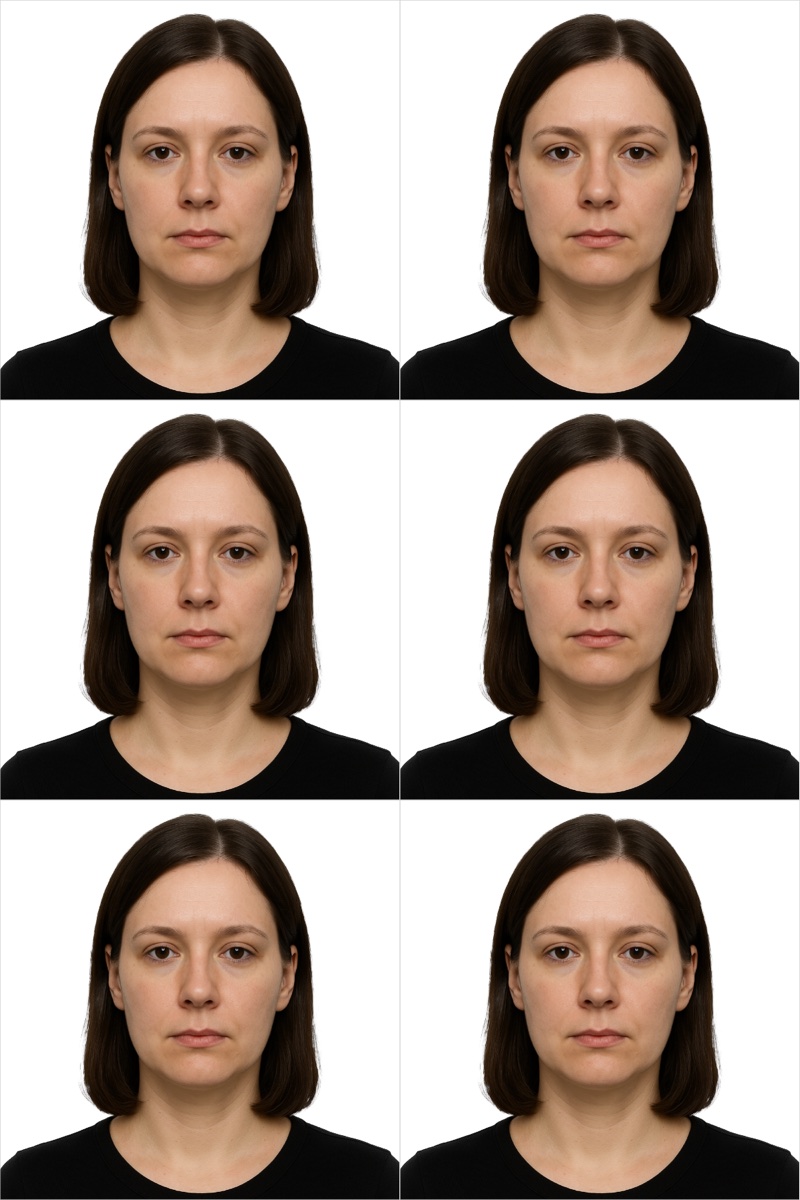
Export a single file sized to the official upload rules, or a 4×6 sheet for one pharmacy print of about $0.35. A sheet holds six US passport photos or nine China visa photos. The PDF carries its real physical size, so AirPrint at home comes out at exact size. How many fit depends on the document.
What it can't do
It isn't the authority
Only the issuing authority can accept a photo. Some have rules no app can check, such as Canada's stamped date from a commercial photographer.
It can miss things
A hand across the face, red-eye, a fine brick pattern behind you, or a photo someone has already edited can slip past the checks. Look at it yourself before you submit.
It doesn't cover everything
145 specifications follow the ICAO standard because the country publishes no rules of its own. The app says so, and you should confirm with the authority. What we left out
See how your photo measures up.
Only the issuing authority can accept a photo. No app can guarantee acceptance. IDHaven measures against published specifications so you can submit with confidence.